
Do you ever have moments like this?
There's a great idea in your head, but the moment you think about learning to program and typing code, you immediately want to back out?
Until I discovered this tool — Google AI Studio!

What Is Google AI Studio?
Tool recommendationGoogle AI Studio is an AI developer lab launched by Google. It lets you directly harness Gemini's top-tier models to rapidly generate a working web prototype through conversation.
We recommend it for its exceptional value for money in Vibe Coding — the daily free quota alone is enough to meet your needs.
Of course, before using it you should have a clear understanding of it:
- Strengths
Top-tier UI aesthetics and front-end interaction
- Weaknesses
Complex back-end logic and persistent data management
Three AI Options — How to Choose?
Core knowledge- Gemini 3.1 Pro
The ceiling of logic — use it to build your initial framework or tackle "mind-bending" problems
- Gemini 3 Flash
The best balance of speed and capability — the workhorse for real-time iteration in Vibecoding
- Gemini 3.1 Flash Lite
The weakest logic but the fastest response — suited only to very simple tweaks or purely visual changes that don't demand much logic
For the work, reach for Flash; for the big jobs, reach for Pro; for the odd chores, reach for Lite
Your Initial Description: Is More Precise Always Better?
Not necessarily. It depends on whether you want an "obedient tool" or an "inspiring partner."
- A precise description = high controllability
When the functional logic and layout are already clear, the more detailed your description, the less AI drifts from your blueprint
- A vague description = AI improvises
When you have only a rough concept, leaving room lets AI fill in the details according to the latest aesthetic trends, often bringing pleasant surprises
Core strategy: fix the "hard constraints" and leave the "soft requirements" open
Define the skeleton (e.g. black-and-white palette, React framework), and leave the details to AI iteration.
Let's be clear: AI is the executor, you are the decision-maker.
Before You Start: A 30-Second Checklist
To avoid having to start over, run through this minimal checklist before letting AI begin building the site:
①Use case: a mobile app or a pure web page?
②Target users: which group of people is it for?
③Core goal: what problem is this project meant to solve?
④Feature structure: at a minimum, which modules must the interface have?
⑤Clarity of language: can my description let AI generate a basic version that "runs and can be modified"?
⑥Parameter configuration: choose the Gemini 3 Flash model (recommended by default); if you have specific technical requirements, write System Instructions
Golden rule: if even you find your own description ambiguous, the result AI produces will surely drive you crazy. As long as the "skeleton" is clear, you can start — leave the details for later iterations.
Three Essential Things to Know
Before you dive in, quickly get familiar with these three operations:
- ① Reading AI's working status
Shown to the right of the name,
Running= working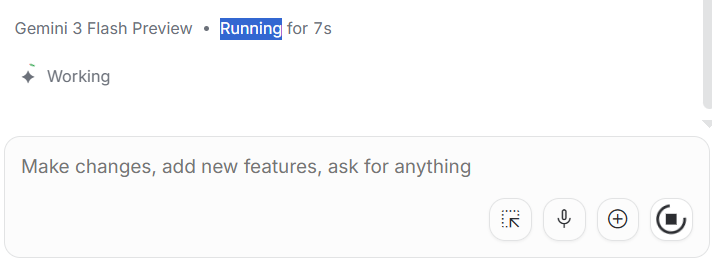
Ran= completed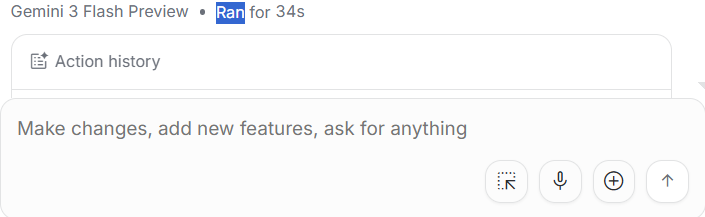
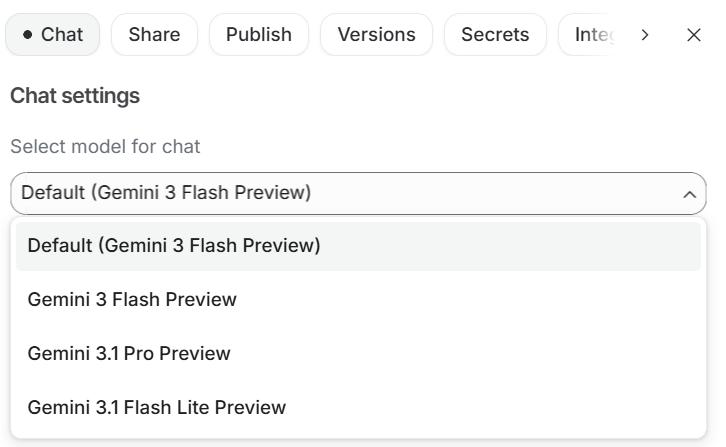
②Switching models:
Go to the project page → click the gear icon in the top right → the Chat section → Select model for chat → choose Gemini Flash
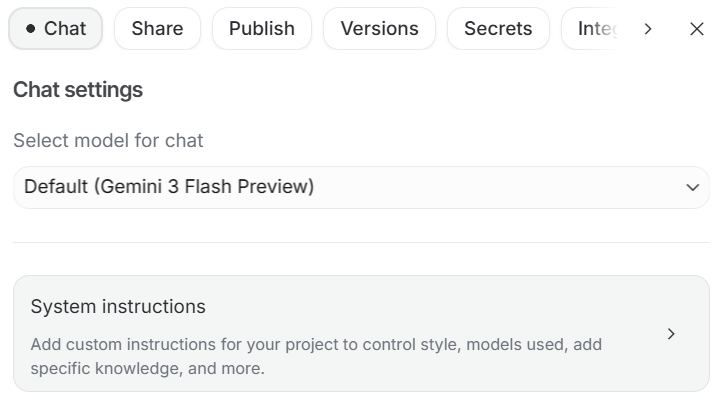
③System instructions: set System Instructions in the Chat section; fill them in if you have specific technical requirements (e.g. React), otherwise leaving them blank is also an option
Today we've clarified the logic and sketched out the draft.
This is how we lay the foundation for AI — only once "what to do" is clear will we avoid getting lost in the code.